Think2Code Complete Python Mastery
Master Python from absolute fundamentals to production-grade software engineering. Learn through 1-on-1 live classes with dedicated developer mentors, conquer algorithmic challenges, build 5 real-world software applications, and publish a standout GitHub portfolio.
Complete Course Offerings
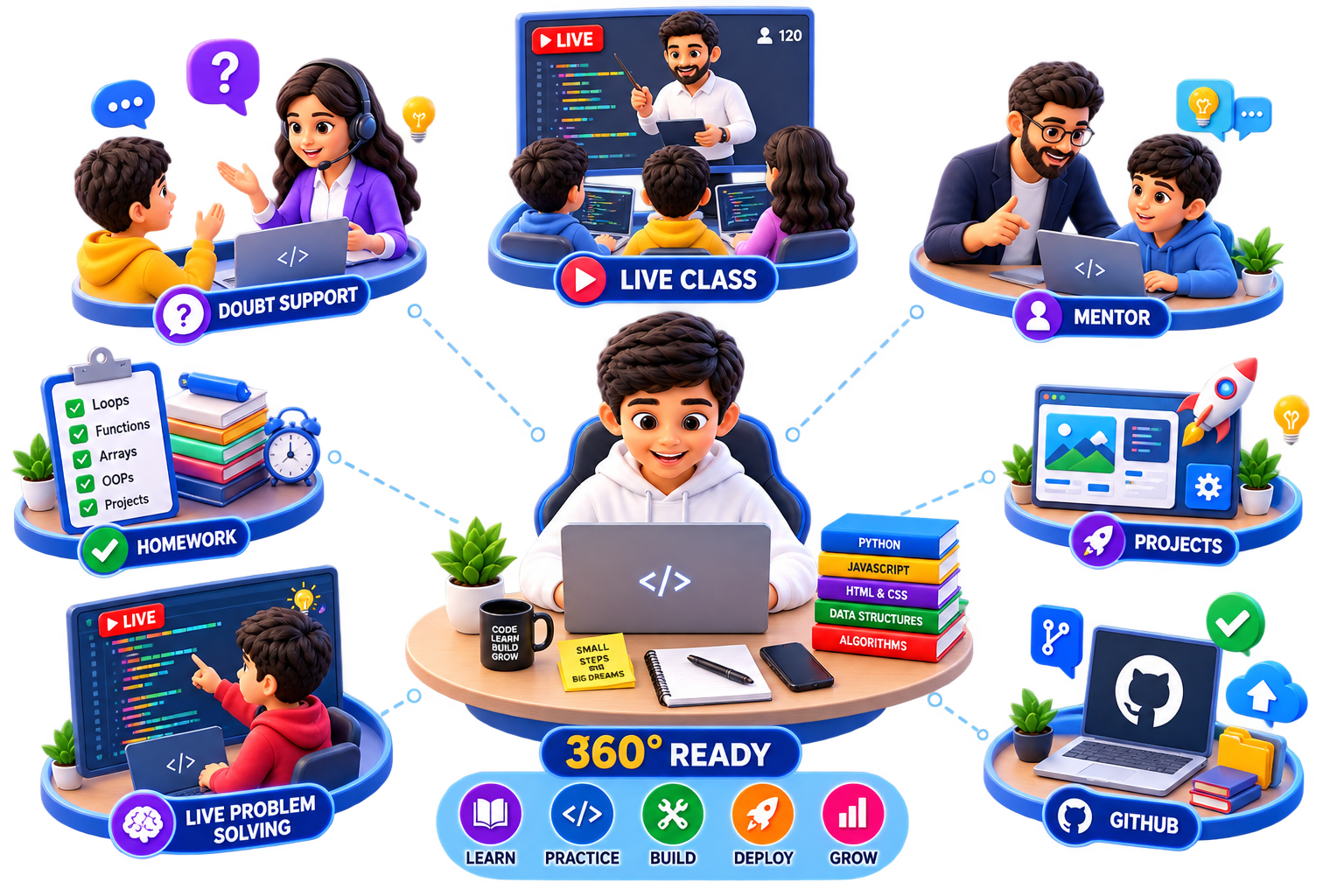
We structure every cohort with strict attention to individual mentoring, real coding challenges, and professional environments.
Program Highlights
We structure every cohort with strict attention to individual mentoring, real coding challenges, and professional environments.
- Live Class — Interactive real-time video sessions directly with expert software developers.
- 1 to 1 live class + One Special Mentor — Dedicated 1-on-1 personal guidance and custom pacing tailored to the student.
- Basic To Advanced — Step-by-step path starting from syntax fundamentals up to full production applications.
- Problem Solving — Systematic logic-building drills and computational problem-solving workouts.
- Complete Week Assignment — Weekly code challenges and assignments with line-by-line developer review.
- Best Class Notes — Comprehensive study sheets, reference guides, and curated code summaries.
- 5 Real Software Projects — Build and deploy 5 real-world desktop & networked software apps from scratch.
- 24*7 Doubt Solving — Continuous doubt clearing and responsive developer support whenever stuck.
- Monthly Tests — Regular milestone assessments to track programming fluency and code confidence.
- Progress Report Card For Parents — Detailed monthly progress analytics, attendance metrics, and skill evaluations.
- Github Profile — Professional Git workflows, repositories setup, and verified public developer portfolio.
- Basic LeetCode — Introductory algorithm challenges to prepare for technical coding interviews.
1-on-1 Dedicated Mentorship
Individual interactive classroom environment with personalized pace and syntax reviews.
Live Class Curriculum Breakdown
32 interactive live sessions going from core fundamentals to object-oriented architecture, APIs, and real-world desktop apps. Click on any week to view lesson topics.
Getting Started & Variables
Introduction to Coding & Tools
- Setup Python installation
- VS Code installation and setup
- Learn the print() function
- Capture input() from terminal
Variables & Data Types
- Understanding variables and containers
- Integers, floats, strings, booleans
- Basic operators (+, -, *, /)
- Type conversion casting
GitHub Workflows & Conditionals
Version Control with Git
- GitHub introduction & setup
- Create repositories
- Clone, Add, Commit, Push workflows
- Documenting with README.md
Conditional Flow Control
- if, elif, and else logic structures
- Logical operators (and, or, not)
- Comparison signs
- Nested conditional checks
Loops & Functions
Loops (for & while)
- Repetitive tasks with for loops
- Condition loops with while
- Using range() correctly
- Nested iteration grids
Functions & Scope
- Defining custom tasks (def)
- Passing parameters
- Returning values out of functions
- Global vs Local variable scope
Data Structures & Month 1 Review
Strings & Lists
- String indexing and methods
- List indexing and splicing
- List operations (append, pop, sort)
- Iterating through list grids
Monthly Assessment 1
- Live interactive coding assessment
- Portfolio building task review
- Proctored feedback challenge
- Month 1 Parent Progress Report release
5 Real Applications Pushed to GitHub
Click through the tabs below to preview the functional applications built and compiled by students.
Canvas Drawing App
A graphical canvas application built from scratch. Students learn user event handling, capturing coordinate pointers, and utilizing the Tkinter drawing API to build customizable brushes and canvases.
Key Concepts Learned:
- Event handling & mouse position binding
- Tkinter Canvas Widgets & geometry objects
- Custom brush dimensions and color choices
- Python
- Tkinter
- Event Handlers
Schedule details & Pricing
Formatting sessions strictly as 1-on-1 guarantees personalized, detailed reviews of every teen's syntax structure.
Duration & Commitment
3 Months total. 32 Live classes, 70 minutes per class. Weekly review homework commits.
Parent progress audits
Monthly proctored progress reports and feedback sheets. Parents can check active growth metrics and GitHub homework commits.
Prerequisites
Zero prior experience needed. Tutors help install Python and configure VS Code editor. Must compile on a laptop (no tablets).
Think2Code Complete Python Mastery
- 32 Live 1-on-1 Interactive Classes
- GitHub Portfolio & Code Reviews
- 3 Live + 2 Challenge Project Ships
- Certificate of Completion
No credit card required. Experience our platform risk-free.
Cohort Specific FAQs
Detailed answers about target age guidelines and curriculum expectations.